
Case study
Giving associates a real markdown path in Order Up
Stores had workarounds for competitor matches and damaged-item discounts. I put markdowns in the cart associates already used.
- Role
- Staff UX Designer, The Home Depot
- Scope
- Order Up markdown interaction, discovery across 12 stores, usability
- Key decision
- Keep cart context visible with a fly-out markdown pattern
- Outcome
- Piloted in 50 stores, then rolled out chain-wide; impact trends directional only
Twelve stores made the workarounds impossible to ignore
When a customer asked for a competitor match or a discount on a damaged item, associates still had to finish the sale in Order Up. Many stores had invented workarounds that burned time and still fought the reason codes in the system.
Observation and interviews across 12 stores showed a consistent pattern: managers trusted associates to make good calls, but each building had its own path to apply an adjustment, those paths lengthened transaction time, and the official reason codes did not match the situations on the floor.
Operations partners added the hard rules. Adjustments over $50 still needed manager approval. Each store had a satisfaction budget. An order-level markdown had to allocate across SKUs. Transaction time was a metric the business watched.
Usability picked the pattern; language picked “Markdown”
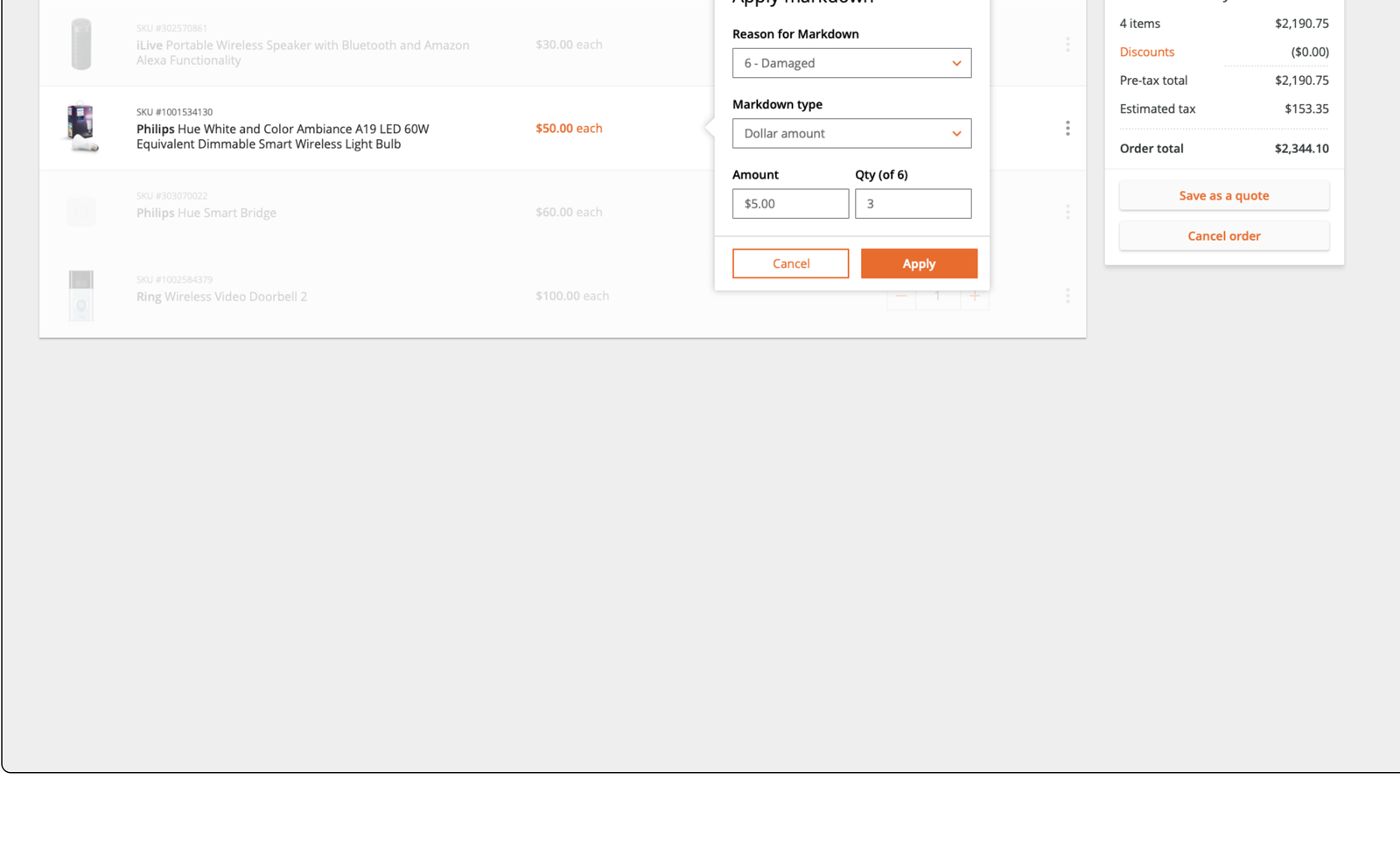
I iterated item-level and order-level markdown UI, then tested task completion, transaction time, and a short SUS questionnaire. Associates needed the order visible while they worked, juggled multiple apps, preferred “Markdown” to “adjustment,” and had to explain the math to the customer.
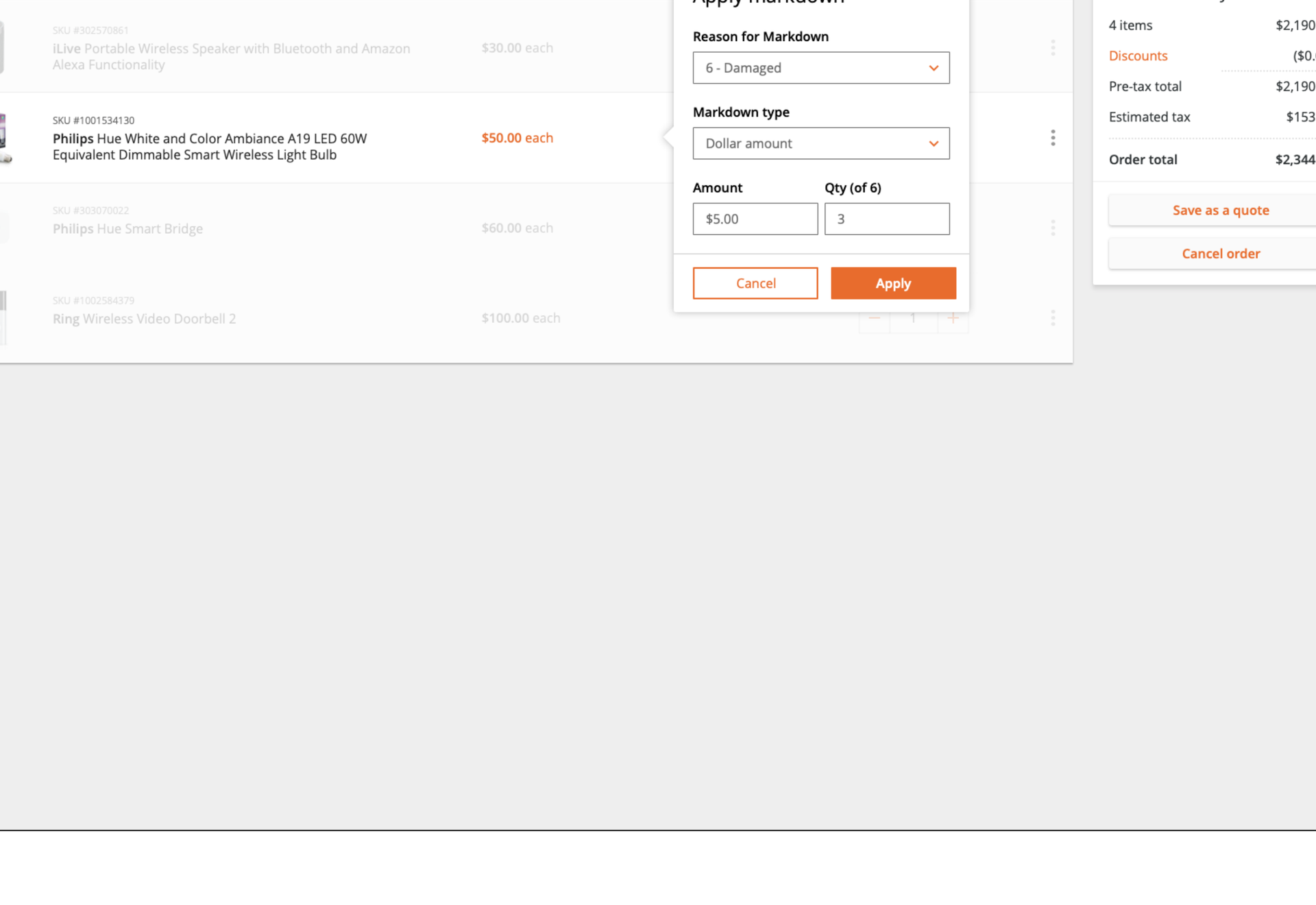
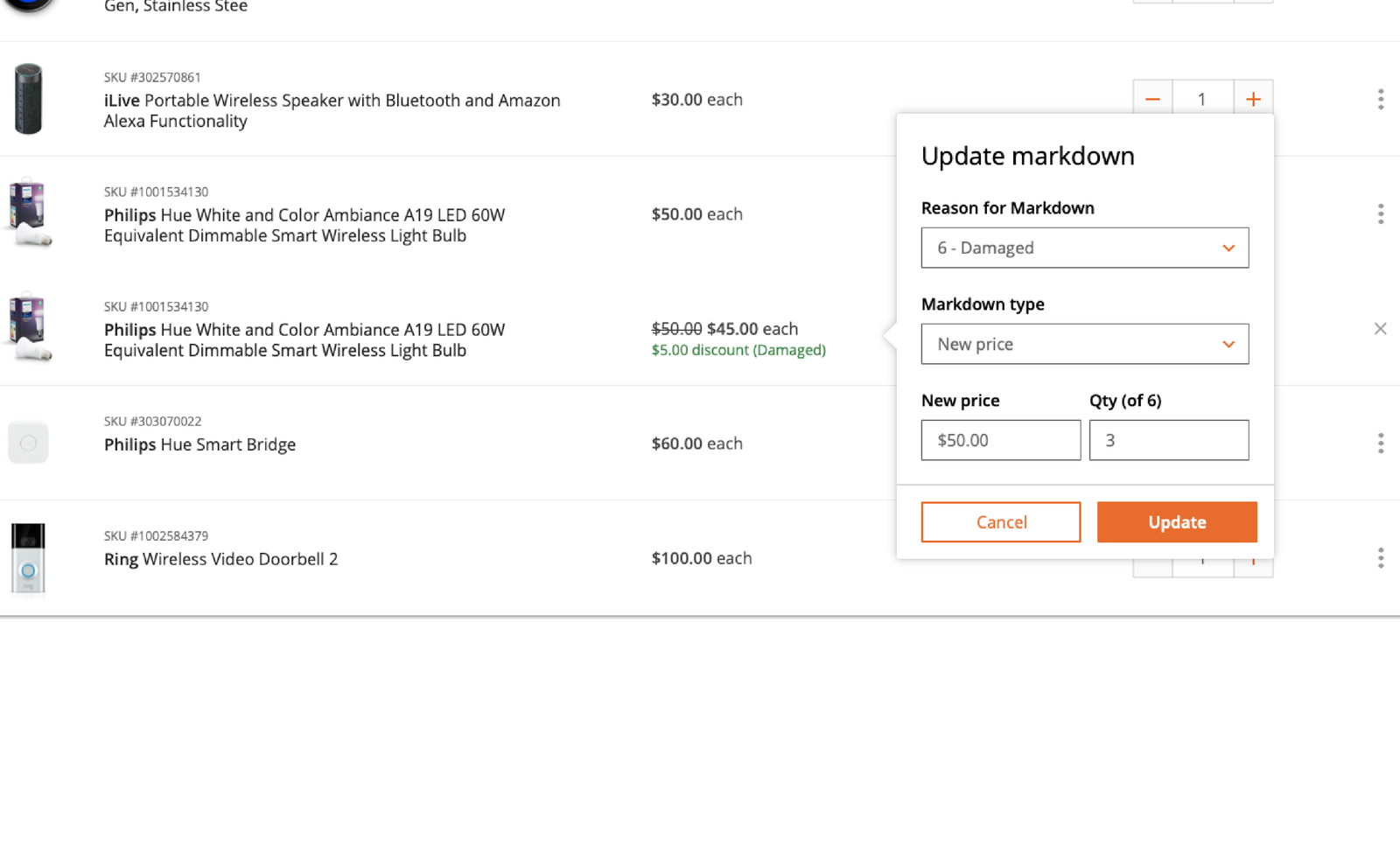
The fly-out concept won on task completion and perceived usability, so I kept iterating that direction and designed components to apply, update, and remove adjustments with an order summary that showed the discount. Discounts that required approval stayed explicit in the flow.
Outcome
Shipped widely; impact stays directional
The markdown feature was tested in a 50-store pilot and rolled out to all Home Depot stores. At 30, 60, and 90 days after launch, the deck reports that transaction times decreased, associates felt more empowered, shrink decreased, and SOP adoption for price adjustments increased. Those statements are directional only. I do not have magnitudes to quote, and I will not invent them.
My takeaway: in associate tools, the winning design is often the one that preserves context and speaks the floor’s language while still enforcing the approval rule the business cannot waive.